
SIEDLE INDOOR
Deluxe Handsfree Technology
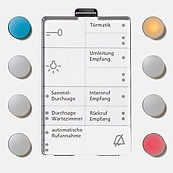
The deluxe models of the handsfree telephones are designed to address more discerning requirements. They enable individually programmable switching functions and the creation of an internal communication system.
The Siedle Individual design concept enables a wide range of materials and surface finishes, allowing the deluxe handsfree devices to blend unobtrusively in with an individual furnishing concept or corporate design.
For complex requirements: The deluxe model makes a big impression with integrated video memory, programmable function buttons and cross-shaped control element. This conceals an extensive range of functional features which can be easily accessed but appear only as required. Operation using a screen menu works with amazing simplicity.


SIEDLE TABLE TOP
All Siedle indoor stations are also available in a table-top version as an alternative to wall mounting. A support leg with connecting cable position the devices at a set up angle of 65 degrees, guaranteeing optimum display legibility
SIEDLE INDIVIDUAL
As individual as your furnishing concept: Indoor stations from Siedle allow enormous scope for design creativity. 14 standard versions and a Manufacture range address every conceivable requirement.

Screen Menu
Using four direction arrows and an input button, it navigates through the on-screen display.
A status line along the bottom of the screen provides context-dependent operating instructions. Pressing the right-hand button of the control element opens the main menu. If an image is displayed at the time, it remains visible. The upper and lower button navigate through the menu points, while the central input button opens the highlighted submenu.
There are seven menu languages to choose from: German, English, French, Italian, Dutch, Danish and Swedish.
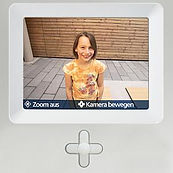
Zoom
The input button at the centre of the control element enlarges the picture excerpt
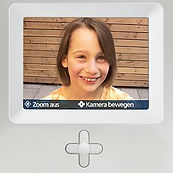
Image Control
The direction arrows shift the focus of the picture to the required area. Using the function menu, the selected image excerpt can be permanently saved. Otherwise, when next activated, the monitor returns to the basic setting. If there are several video telephones connected, the image control is individually selected and saved for each monitor. Every user receives its own individual image selection.
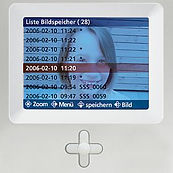
Video Memory
The internal memory and an optional memory card can be reached directly from the main menu. Using the list, the stored pictures are selected and accessed as required. The memory automatically archives a picture of the entrance area every time the call button is pressed, but can also be manually activated.
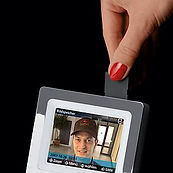
SD Card
A standard commercially available SD memory card (accessory) extends the capacity of the internal memory and allows the pictures to be transported to a PC if required. This can be used for permanent archiving or transporting of images.